Campamento de drones SPH 2026 Budapest
Dos días de levantamientos con drones en vivo
Campamento de drones SPH Budapest 2026
¡Únete!

UgCS Cloud
Sincronización fluida de planes de vuelo

A partir de UgCS 5.11, conecte DJI Pilot 2 a UgCS a través de Internet y acceda a sus planes de vuelo desde cualquier lugar.

Sincronización fluida de planes de vuelo

Planifique rutas en la versión de escritorio de UgCS, sincronícelas a través de UgCS Cloud y ábralas en DJI Pilot 2 sin necesidad de exportaciones manuales ni configuraciones de Wi-Fi.
Acceso universal
Use cloud.ugcs.com en cualquier lugar
Sincronización automática
Sus misiones aparecen al instante en DJI Pilot 2
Listo para uso sin conexión
Descargue a la biblioteca local para vuelos sin conexión

Cómo conectarse a UgCS Cloud

Autentica tu UgCS Desktop

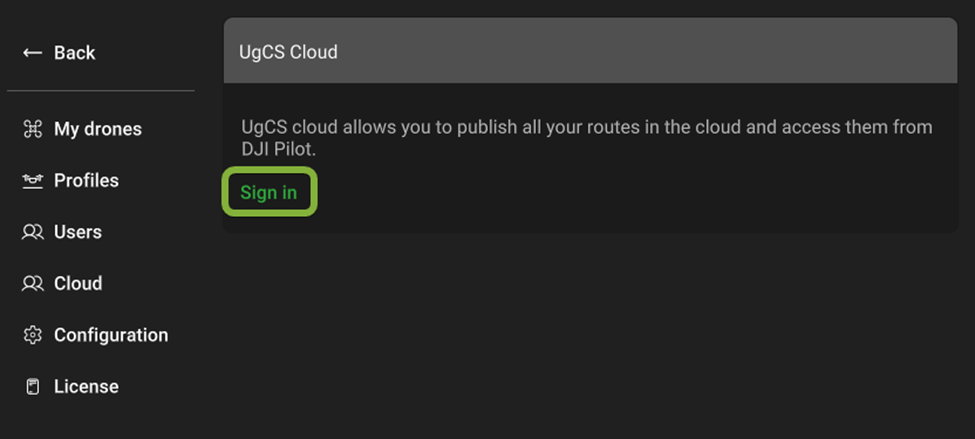
En la versión de escritorio de UgCS, haz clic en el icono de Cloud y luego en Iniciar sesión (o Registrarse) para vincular tu aplicación al servicio en la nube.

How to Connect DJI drones to UgCS Cloud

Authenticate Your UgCS Desktop

In UgCS desktop, click the Cloud icon, then Sign In (or Sign Up) to link your application to the Cloud service.

  • Click the Cloud icon in the toolbar.

  • Select Sign In (existing user) or Sign Up (new user).

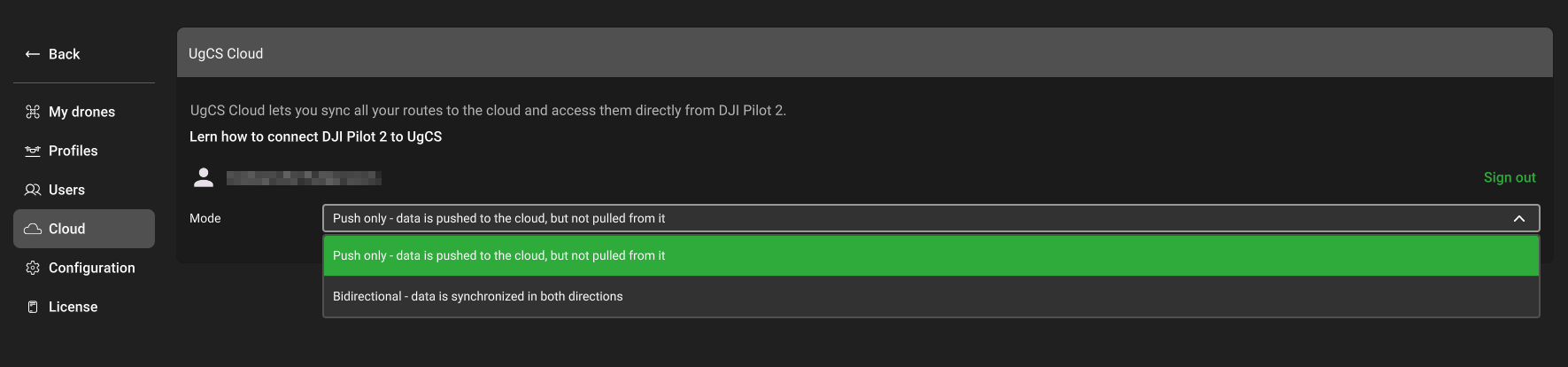
  • Your default browser will open an authorization page. Sign in by entering your email address, pressing Continue, then entering your password and pressing Continue again.

  • Return to UgCS and in the Cloud tab, you will see that you are successfully logged in.

In UgCS desktop, click the Cloud icon, then Sign In (or Sign Up) to link your application to the Cloud service. Click the Cloud icon in the toolbar.How to Connect to UgCS Cloud - Select Sign In or Sign Up.

Configure DJI Pilot 2 Cloud Service

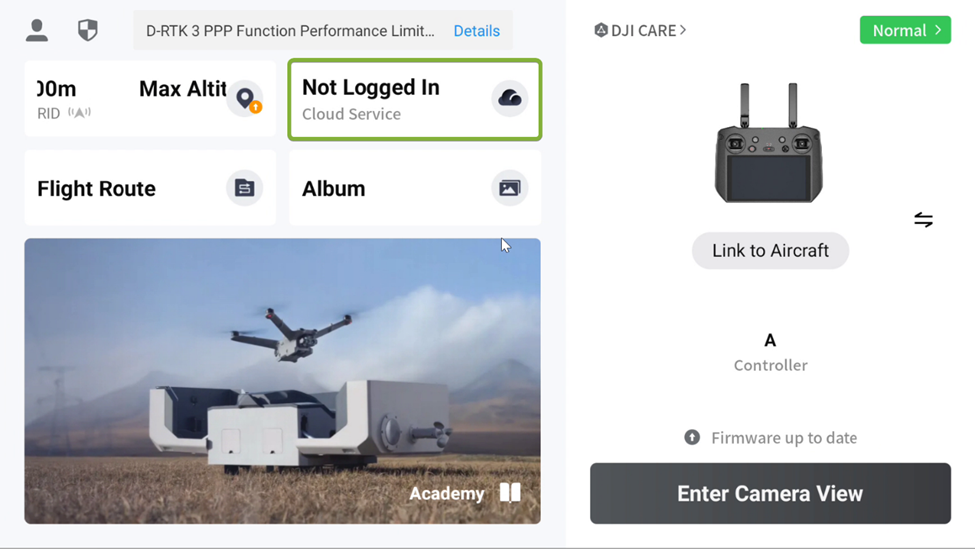
Open DJI Pilot 2, navigate to Cloud Service, add UgCS Cloud, and authenticate.

  • Launch DJI Pilot 2 and tap Cloud Service → Open Platforms.

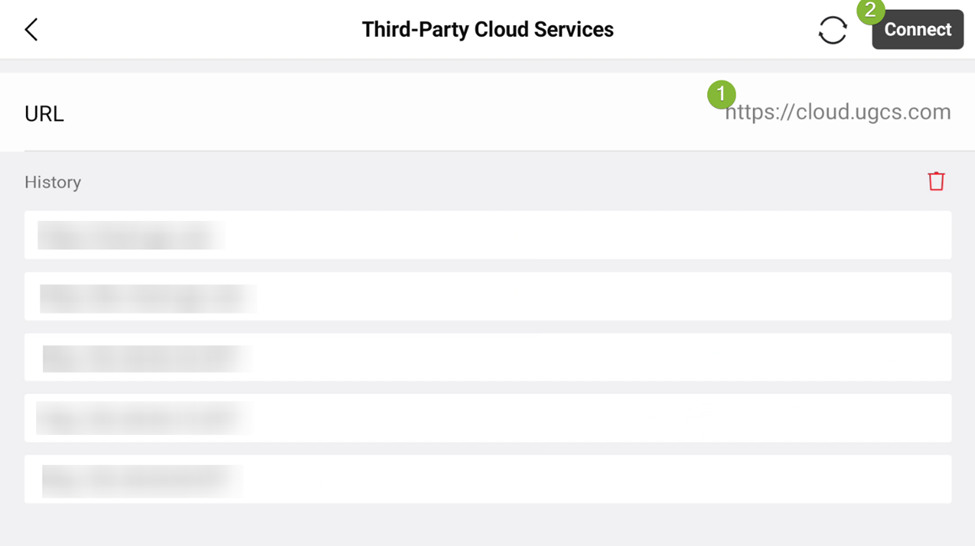
  • Enter https://cloud.ugcs.com in the URL field and tap Connect.

  • Log in with your UgCS Cloud credentials (email & password).
Select & Download Your Mission

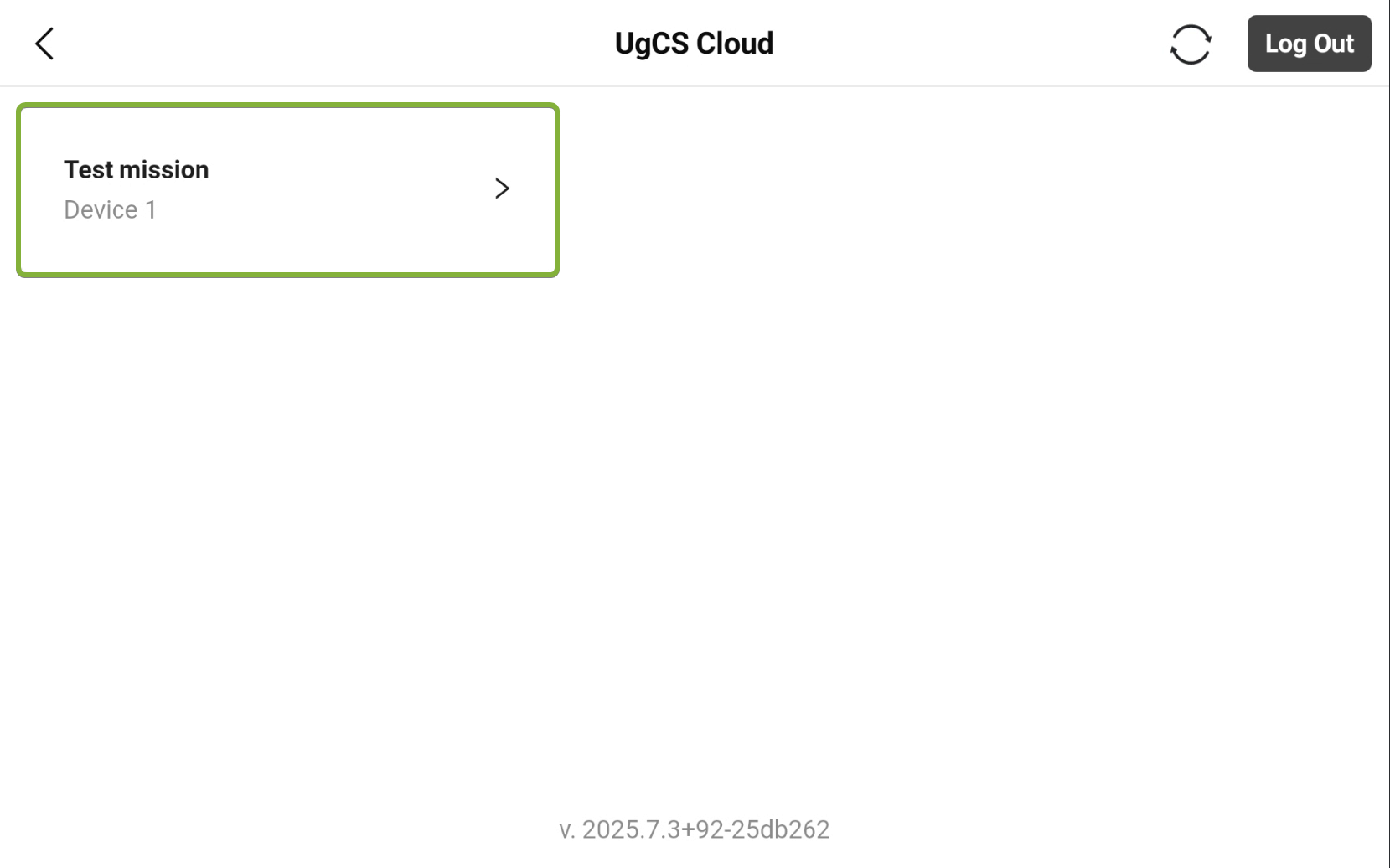
Browse your synced flight plans, choose a mission, and download it to the local library for offline use.

  • Tap Mission List and select your planned route.

  • Go to Flight Route → Cloud tab.

  • Log in with your UgCS Cloud credentials (email & password).
Note: UgCS Cloud syncs flight plans only, it does not stream real-time telemetry (battery, GPS, etc.). For more details see the full integration guide »»»

¿Listo para volar de forma más inteligente?

Disfruta de una sincronización sin complicaciones con UgCS Cloud y lleva tus misiones con drones al siguiente nivel hoy mismo.
Descarga UgCS ahora
volver arriba